Palettes & Variables
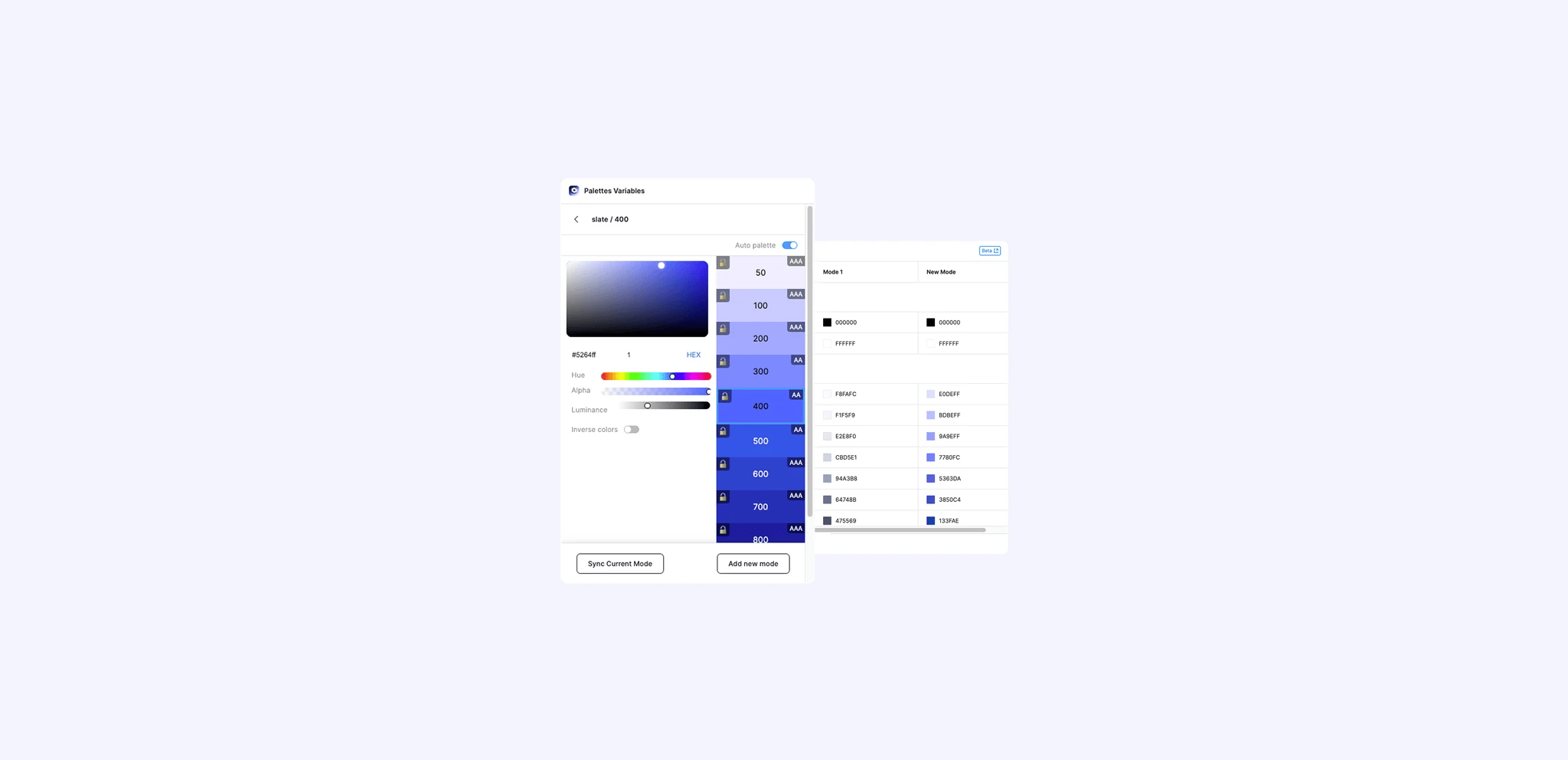
Figma's Variables were revolutionary—finally, design tokens native to the tool. But there was a problem: variables are abstract data structures. You can define a perfect color system with primitives, semantics, and aliases, but you can't *see* it. I built this plugin to bridge that gap—transforming the invisible logic of design systems into visual, shareable palettes.
The Documentation Paradox

Designers were building sophisticated color systems, but communicating them was painful.
The Black Box
Variable collections are powerful but opaque. You can't glance at a collection and understand its structure like you can with a traditional color palette.
Manual Labor Loop
To document their systems, designers were manually drawing rectangles, typing hex codes, and rebuilding everything from scratch whenever a variable changed. Hours of work, instantly outdated.
The Core Challenge
How do you automatically generate a live, visual representation of a complex, nested data structure—one that stays in sync with the source of truth?
Reading the DNA

The breakthrough was realizing I needed to think like the API, not like a designer.
The Insight
The plugin shouldn't just "draw colors." It should reveal the *structure*—the groups, the modes, the aliases, the hierarchy. The visualization should mirror the logic.
Strategy
I built a recursive engine that traverses variable collections, parsing relationships between primitives and semantics, handling Light/Dark modes, and programmatically drawing organized palettes that reflect how the system actually works.
Building a Tool That Feels Native

API Deep Dive
This wasn't a UI wrapper. I had to understand Figma's Variables API at a fundamental level—handling edge cases like missing values, circular aliases, and multi-mode collections that real design systems inevitably create.
Performance at Scale
Some users run this on systems with 1,000+ variables. I optimized the rendering loop to batch API calls, cache resolved values, and render incrementally—ensuring Figma stays responsive during generation.
Minimal Interface
The plugin UI is deliberately simple: one click to generate. It respects selection context and places palettes intelligently. The complexity lives in the engine, not the interface.
From Personal Frustration to Community Tool

I built it to solve my own problem. The community validated it was everyone's problem.
1.5K Active Users
Rapid adoption by design system teams who were starving for this visualization.
30 Seconds
Full palette generation. What used to take hours of manual work.
90% Time Saved
Compared to traditional manual documentation workflows.
65 Community Likes
Organic appreciation from designers who found the tool genuinely useful.
What Building a Plugin Taught Me

Solve your own problem first
I was frustrated with manual palette creation. That frustration gave me deep understanding before I ever wrote a line of code.
Figma's API teaches systems thinking
Color variables are complex objects with collections, modes, and relationships. Working with this data model changed how I see design systems—as interconnected information, not just visuals.
Real data is messier than mockups
Testing with real design systems revealed edge cases I never imagined. This taught me to build resilient interfaces that handle the unexpected gracefully.
Performance is a feature
Processing hundreds of variables taught me optimization patterns—batching, caching, incremental rendering—that I now apply to every project.